Thursday, March 19, 2015

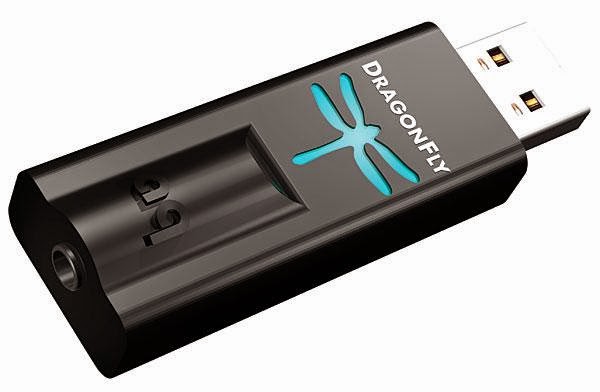
Audioquest DragonFly

1012dragon promo

I’ve been rediscovering the joys of audio. Helped by the ease with which you can now (legally) stream audio, I’ve been playing around with various output devices. My trusty default is a pair of Klipsch Image X10i’s, which are superlative but not value for money. They’re so good, I have a pair that is with me permanently and another pair that lives at home (both pairs were bought for some tech work I did for a friend, who insisted on paying me for it).


When I travel, I use a pair of Bose QC3’s, which do a great job of blocking out the outside world (mainly the droning that is inevitable on a plane). When I’m not traveling, I have started using a pair of wireless Bose Soundlink headphones instead of the wired Klipsch (technically in ear monitors) which are great, and I think my default for day-to-day listening. But I find something lacking with wireless headphones. They’re good for listening with half an ear, the kind of music that requires no concentration or is more to drown out the foreground while you’re concentrating than listening for pleasure as your primary activity.


So I’ve invested in a setup which I want to use at the office, a pair of AKG 550’s. I haven’t reviewed them yet because I haven’t listened to them enough to justify a review, and I don’t think they’ve been burnt in / listened in properly yet. But the second part of that setup is a Audioquest DragonFly USB DAC.


Holy moses, I’m not sure why I didn’t get a USB DAC earlier. Its one of those experiences that I can only compare to trying to tell someone who has only ever used Apple’s stock ear buds that there are better options. Its the same source music, playing with the same output equipment (at the time of writing, the Klipsch IEM's). Vocal’s are cleaner, there is more defined mid-bass, and I’m hearing a subtlety and widening of the stage that I didn’t think was possible with such an amateurish setup. Wow.


Get one, you won’t be disappointed. At all.

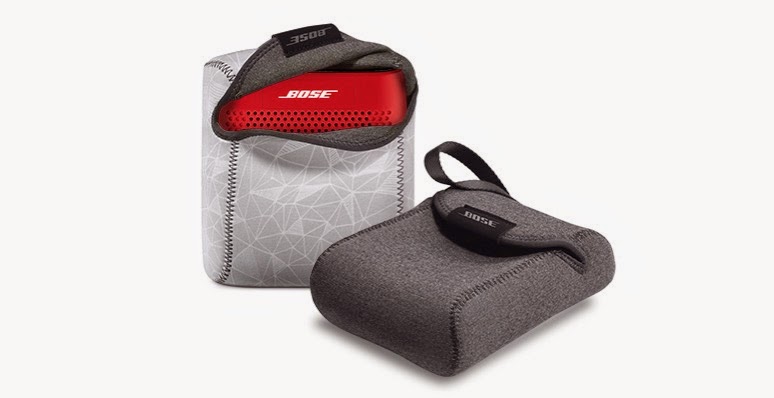
Bose Soundlink Color Bluetooth speakers

Soundlink color full 11

Its not often that I buy something, and have nothing bad or critical to say about it. The Bose Soundlink Color Bluetooth speaker is one of these products.


It does exactly what its supposed to do; it pairs quickly and painlessly, remembers up to the last 8 devices its paired to, tells you via voice prompt what its connected to and just does its job.


Sound quality is superlative, for a speaker this size. Its typical Bose, good for most people but annoying to audiophiles. I’m not one, and this sounds damn good to me. Its a little expensive, but unlike normal pricing for this manufacturer, only a slight premium over the frankly cheap and nasty equivalents. In this price range, its the best product that fits value/performance/size. Adding a microphone so that you could use it as a speakerphone would make this the obvious no-brainer. Something for version 2 ? 


As an aside, I think Bose have circumvented nuclear material proliferation rules. I have no idea how they are so efficient at battery power management. These, along with their noise canceling headphones, sip juice - I’ve not managed to get them to run out, no matter how hard I try.


There is only one thing that I find annoying about this; it falls into the same category as the dumb user who doesn’t switch off his car alarm and sets it off every morning. But this is a case of “stupid user” rather than stupid design problem. You have to push the power button lightly, once. If you hold it down, nothing happens. I’ve cursed the thing a few times thinking the batteries have died (usually after long periods of non use), when the light bulb goes off and I push and release quickly, and up it comes. Go figure. Stupid user.

Friday, February 13, 2015

Sucky Bluetooth audio quality on a Mac ?

I’ve noticed audio quality on Mac’s is a bit of a hit & miss affair; until I read this article about terminal hints to fix stupid default Mac settings.


Applied the terminal hints, and happiness! In case it gets removed,


defaults write com.apple.BluetoothAudioAgent "Apple Bitpool Max (editable)" 80 
defaults write com.apple.BluetoothAudioAgent "Apple Bitpool Min (editable)" 48 
defaults write com.apple.BluetoothAudioAgent "Apple Initial Bitpool (editable)" 40 
defaults write com.apple.BluetoothAudioAgent "Negotiated Bitpool" 58 
defaults write com.apple.BluetoothAudioAgent "Negotiated Bitpool Max" 58 
defaults write com.apple.BluetoothAudioAgent "Negotiated Bitpool Min" 48

Monday, January 19, 2015

Macbook Pro 13" (Retina)

I recently changed from a Macbook Air to a Macbook Pro 13” (Retina). I was going to wait for a new chipset release (Broadwell) for better battery life, but for a variety of reasons ended up buying the Haswell version.


Fundamentally the only difference between this notebook and the previous iterations I’ve used is the Retina display (beside the seemingly endless parade of more RAM, bigger and faster SSD and marginally faster CPU).


Is Retina display good on a Macbook ? In a word, yes. Is it worth shelling out for a model specifically for it ? No. Images and text are crisper, it seems less impactful on the eye, and the associated visual “refresh” going from iPhone / iPad Retina to notebook disappears. But, am I planning to replace one or both of my iMac’s to their Retina version because the display is crisper ? Nope. When it comes time to replace them due to age, feature creep or some other reason (oops I dropped it), then its logical to go Retina. Otherwise, save your money.

Tuesday, January 13, 2015

Long term iPhone 6+ thoughts

I wrote about the iPhone 6+ earlier in the year; at the time, I wasn’t sure if I would like the device and would I actually return it because it was too big.


I’ve now been using the device basically since its launch, and have travelled a reasonable amount with it (South Africa, Dubai, US). In short, I think this is the best iOS phone experience you can have right now. I did try an iPhone 6 for a while, but it felt very much like an incremental upgrade to the 5S, as opposed to the 5S - 6+ upgrade.


If you’re considering it, go get one! You won’t be disappointed. If you’re looking for an Android device, right now I’m a huge fan of the Motorola line (I’ve used the 1st gen X and G). But I only hear good things about the Z3 line from Sony.

Xclaim Xi-3

IecvNGm6phjHhMy

Enterprise and carrier WiFi have a few, established players with a shopping list of features that are useful;

  • Wireless mesh (don’t need all AP’s wired to each other)
    • Resiliency / self-healing if one or more break and the network re-routes
  • Multiple AP’s presenting a single SSID
    • Roaming between AP’s with no disruption to connectivity
    • Low inter-AP handover latency
  • Service profile / SLA’s per application
  • Rate-limiting (overall, and per application)
  • Usage stats / graphs
  • Multiple SSID’s
  • High-speed / throughput and support for the less congested 5GHz band (either 802.11a, 802.11n or 802.11ac)


Offerings for home use were pretty limited, and consisted primarily of features that were quite unnecessary (SPI firewalls, port forwarding, etc), or plain didn’t work properly (who reading this has ever managed to get a WDS network going between the same manufacturer, never mind a mix of them or generational differences).


Meraki promised some of this at a lower price-point pre acquisition, but Cisco in typical fashion has completely screwed up this SME and/or consumer-orientated acquisition; their price points alone make them a non-contender for anything other than an enterprise (which makes you wonder why they bought them if they’re not busy integrating their controller-less architecture into their incumbent line).


Modern homes need much of the above; the only thing that really radically differs is the number of AP’s. The average home needs less than 5 (note, I said home not ranch); the average enterprise I’d argue needs significantly more. Until recently, I could only wholeheartedly recommend the Open-Mesh range of products because they meet all of the above requirements, and their new software updates bring some truly incredible features to an AP range that is still less than $100 an AP. Facebook social WiFi integration, per application bandwidth reporting across SSID’s and a newly enhanced mobile app make the Open-Mesh ecosystem truly compelling, and hard to beat.


Enter Ruckus Wireless’ attempt, the Xclaim range. A new name and brand, and positioned differently, Xclaim attempts to give customers looking for a solution from a RF-credible provider a lower price-point for some of those features. I ordered 4 of the Xi-3 units, and have also played with a Xi-2 unit (provided by Xclaim); the units differ on their support for 802.11ac. Of the features outlined above, these AP’s do not mesh.


Ruckus is a company I admire; they have great people, their products are liked by serious WiFi deployers for their performance, throughput and manageability and they’re significantly more responsive to their customers and channel. This is the type of vendor I like. But, I’m afraid with the Xclaim range, they released about 6 months too early.


One of the selling points of the Xclaim products is that you configure the AP’s via an iOS or Android app. The app itself, on initial usage, is easy to use and beautiful. And the graphs / usage stats that appear are very pretty and useful for a home or SME. But once you close the app, the wheels fall off the bus. If you launch the app again, the graphs don’t appear (if you can even connect to the AP). If you want to add an AP, its a hit/miss affair. The network settings are tied to that app installation. If you can’t connect to the AP, or you want to add another AP, you have to remove the app from your device, reset the AP, and reconfigure the network (from scratch).


If you want to deploy in another environment / location, you have to remove the app, reinstall it and go again. And if you want to manage your initial / other site ? Reinstall the app, reset the AP(s), rinse, repeat. Another site ? Rinse, repeat. This is a massive fail.


No matter how good the RF performance of these units is (and by all my testing over the last month, it is truly impressive), managing them is a complete nightmare for a single site with a single AP. And for multiple sites and/or multiple AP’s, its completely unusable. Pity. I’m hoping they put the right resources behind this product line and fix it up; right now, its not something I could recommend.
Bose Soundlink on-ear wireless headphones

Soundlink oe headphones bl lg

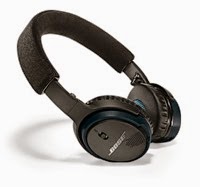
I’m a fan of Bose products; and having been a happy QC3 owner, I was quite keen to get a slightly cheaper, wireless version. Enter the Soundlink Bluetooth headphones.


Once again, Bose has gotten it right. The headphones use a human-friendly concept of talking you through the Bluetooth-pairing process (something I first experienced with Plantronics headsets).


Audio quality is typical Bose-fair; balanced, good mid-range, possibly a little muddy bass, but overall very pleasant for daily use. Volume levels are lower than I’d like, but probably safer. Battery life is outstanding; I’ve not gotten them below 40% even in all-day use. When the battery does die (apparently it does), you can use the included cord to still use the headphones - very smart and something I wish the QC3’s did.

Better sound unplugged

They come with a carry-case (very useful) and seem quite durable. I’m not convinced on how the headphone foam squishes when in the carry case, but I suppose thats what a manufacturers warranty is for.


Get a pair - that way, you too could be as cool as this stock-image hipster.

Bottom image